Produktupdates
Die neuesten Updates im Versionsverlauf ansehen
Produktupdates
Die neuesten Updates im Versionsverlauf ansehen
Produktupdates
Die neuesten Updates im Versionsverlauf ansehen
What’s new: August 2026
" transform="translate(3 3)" width="14px"/></svg>)
Use Tandem on iPhone
The Tandem iOS app is now on the App Store, joining the Android app released earlier this year. It records in the background, on a locked screen and offline, with audio syncing once you’re back online.
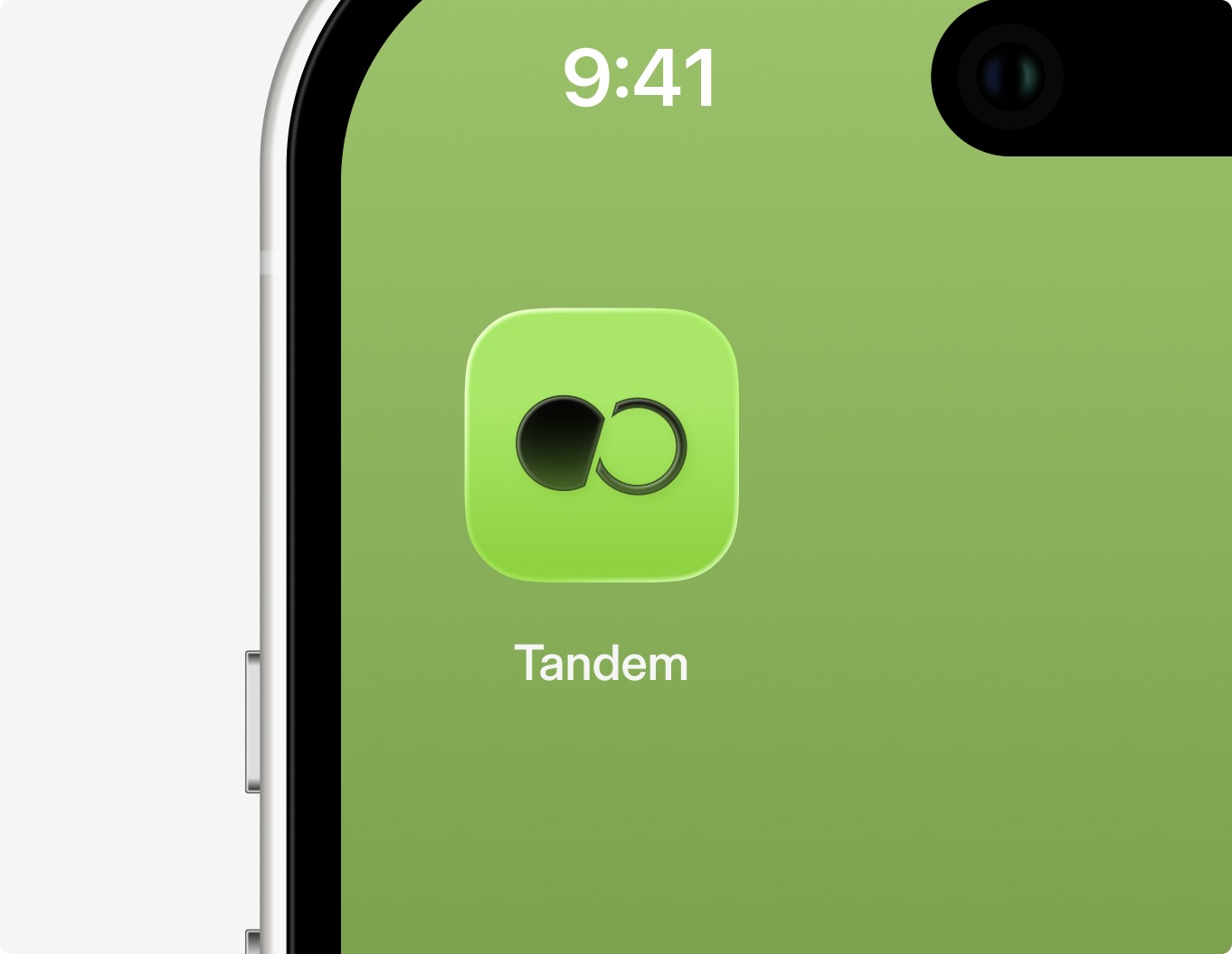
See your recording from the lock screen on iOS
On iPhone, an active recording now shows as a Live Activity in the Dynamic Island and on the lock screen. You can see that Tandem is recording at a glance, even with the phone locked or another app open. Live in the latest iOS app.

Sign in without a password on Windows
On Windows machines already signed in to a Microsoft Entra ID account, previously called Azure AD, the native app now signs you in without a password. You still type your email as before. Entra recognises the Windows account and takes you straight in, at first login and after every session expiry.
Dictate quickly across fields without losing words
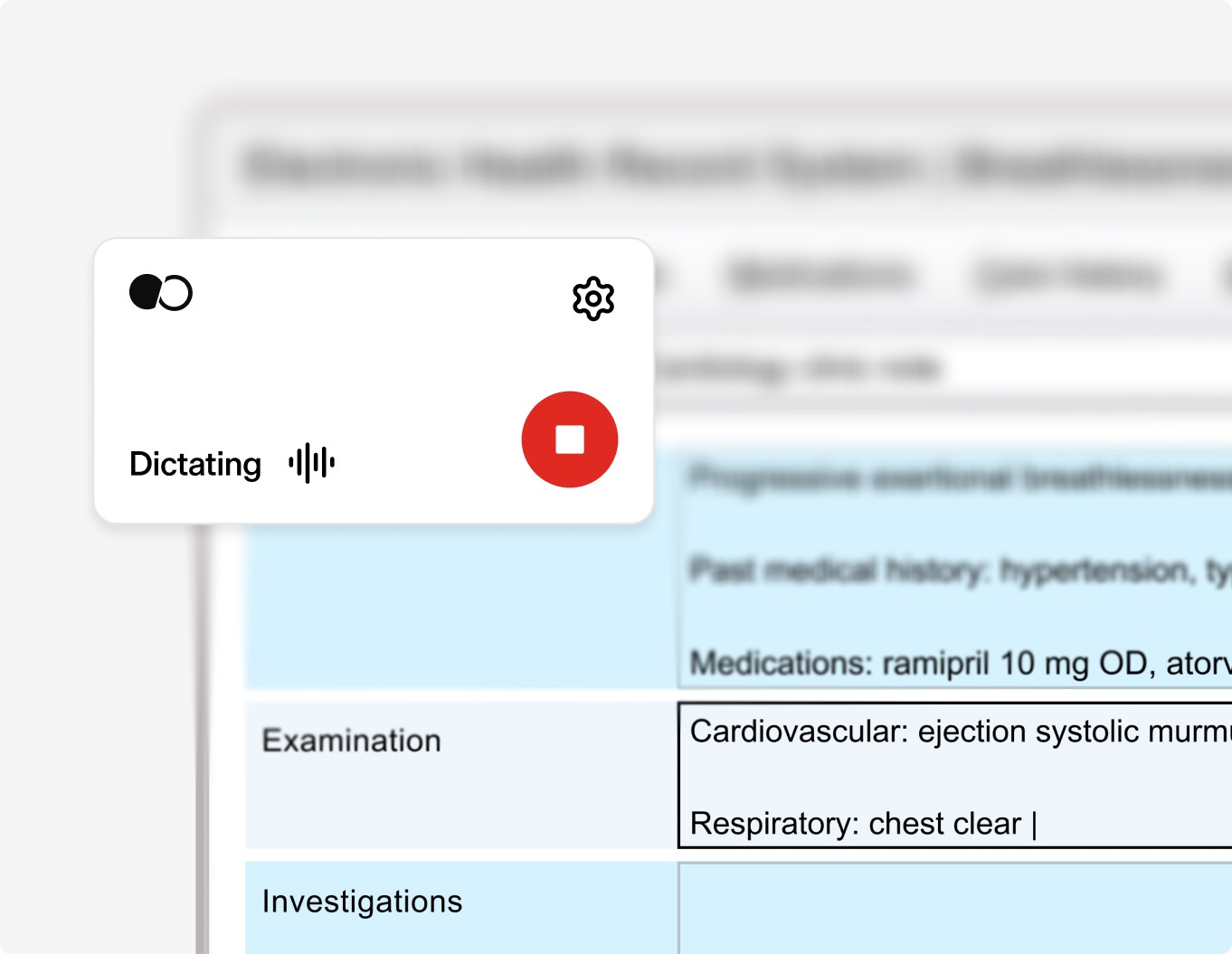
Dictation now assigns your words to the right field even when you switch fields rapidly or use short statements. Words no longer disappear or land in the wrong field mid-dictation. Live for all clinicians.
Edit one note and the rest follow
Edits you make in a note or document now carry into anything you generate afterwards in the same encounter. Older notes and documents that no longer match get a prompt to regenerate. Fewer inconsistencies when one encounter produces several outputs.
Give each note its own name
When an encounter produces several notes, you can now rename each tab, instead of working out which of Note 1 and Note 2 was the referral letter. The encounter name stays as it is. This is the label on the note itself. Live for everyone.
Set your clinic’s wording for normal findings
Clinic admins can now set clinic-wide phrasing for normal findings. The settings page lists each finding once, showing which version applies, whether market, clinic or personal, so it’s clear why a phrase appears in a note. Existing personal customisations carried over.
What’s new: July 2026
Create documents and chats outside a recording
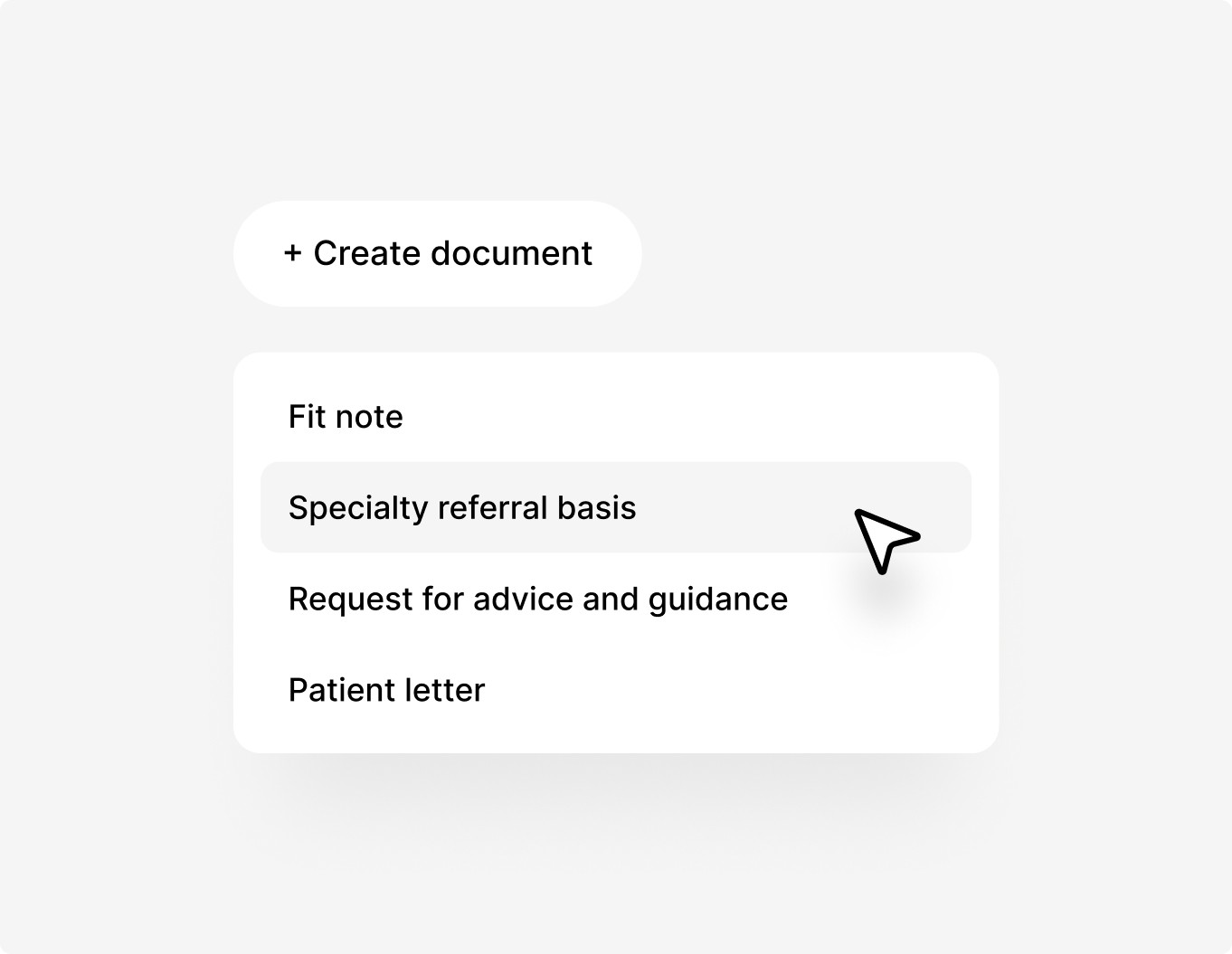
You can now start a chat, note or document from the home screen without needing a recording first. Useful for drafting a patient letter from a chat, connecting multiple encounters into a single assessment or writing up a phone contact you couldn’t record. Now rolling out to all users.
Get more thorough Ask Tandem answers
Ask Tandem now runs multiple searches in parallel across every available source before answering. Answers draw on wider context, including drug interactions, contraindications and differentials. Live for every Ask Tandem query.
Cancel a note transfer with any click or key
Any mouse click or key press now cancels an in-progress transfer to your medical record system, not just Escape. The cancelling input doesn’t end up in the patient record, and you’ll see a Transfer cancelled dialog instead of the app hanging on Transferring note.
Set patient consent as a clinic setting
Clinic admins can now require clinicians to confirm patient consent before starting an AI Scribe recording. When enabled, a consent prompt appears at the start of every consultation, and each confirmation is logged. Turned off by default. Toggle from clinic settings.
Export clinic data at any size
The clinic and organisation data export now works reliably for customers of any size. Files switched from Excel to CSV, and exports run through a new backend built for scale. Live for everyone.
Improvements
MyClinic dashboards now load faster, powered by a new analytics backend. Foundation for more metrics coming later this year.
Clearer error when Windows or macOS blocks microphone access: the app now points clinicians at their system privacy settings instead of showing a broader error.
What’s new: June 2026
Ask Tandem clinical questions during the visit
Clinical Decision Support is now live for select customers across Europe. Clinicians can ask a clinical question in the same chat that just wrote the note, with citations from NICE, national clinical guidelines, and any local protocols your clinic has uploaded. CE marked under EU MDR as a Class IIa medical device.
See chat and notes side by side
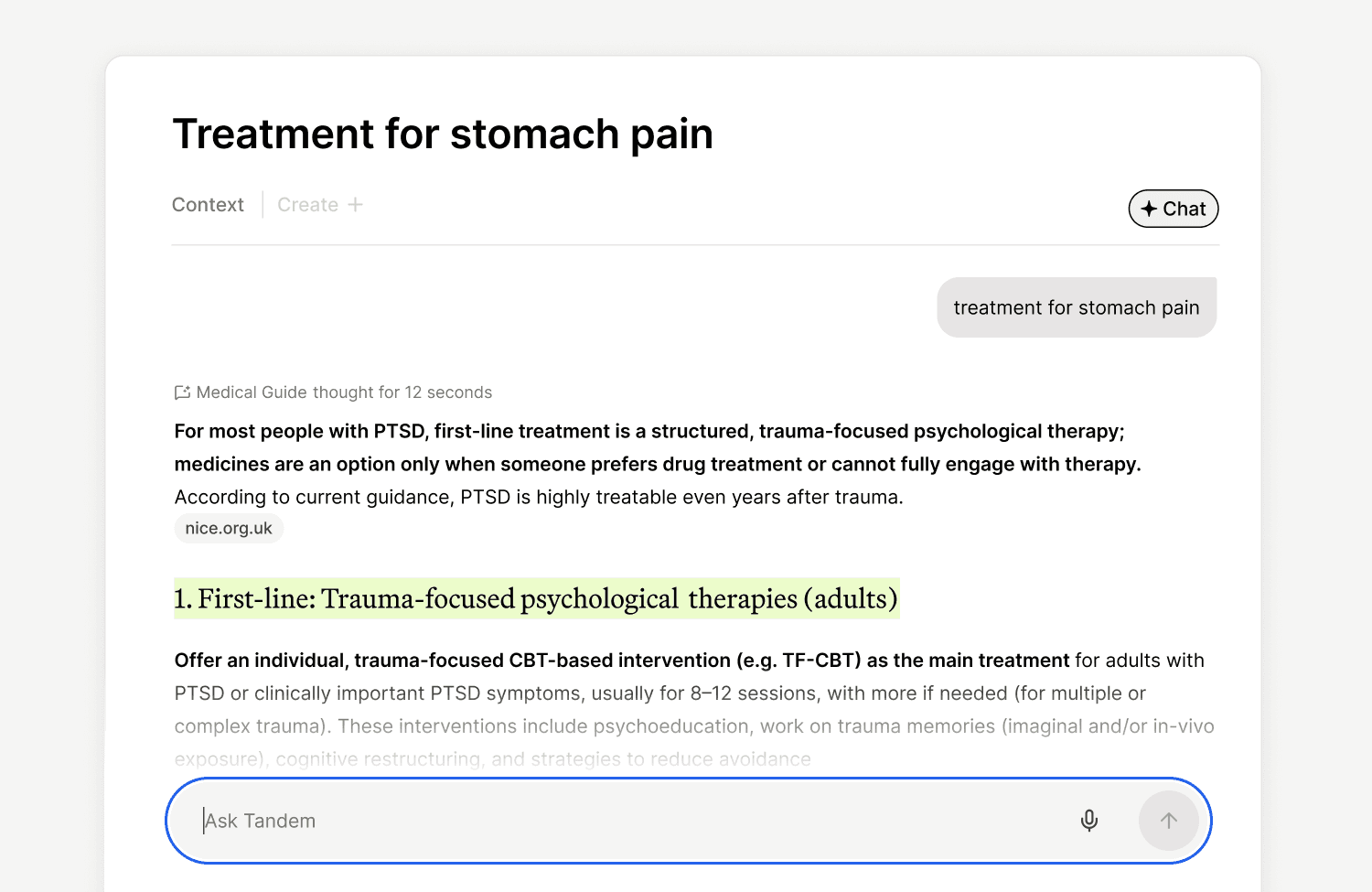
You can now chat with Tandem right beside your notes. This chat sits in the sidebar as a first-class part of the workflow, and the structure supports non-consultation tasks like documents, templates, and standalone chats. Rolling out to Ask Tandem users first, with broader rollout to all clinicians planned for later this year.
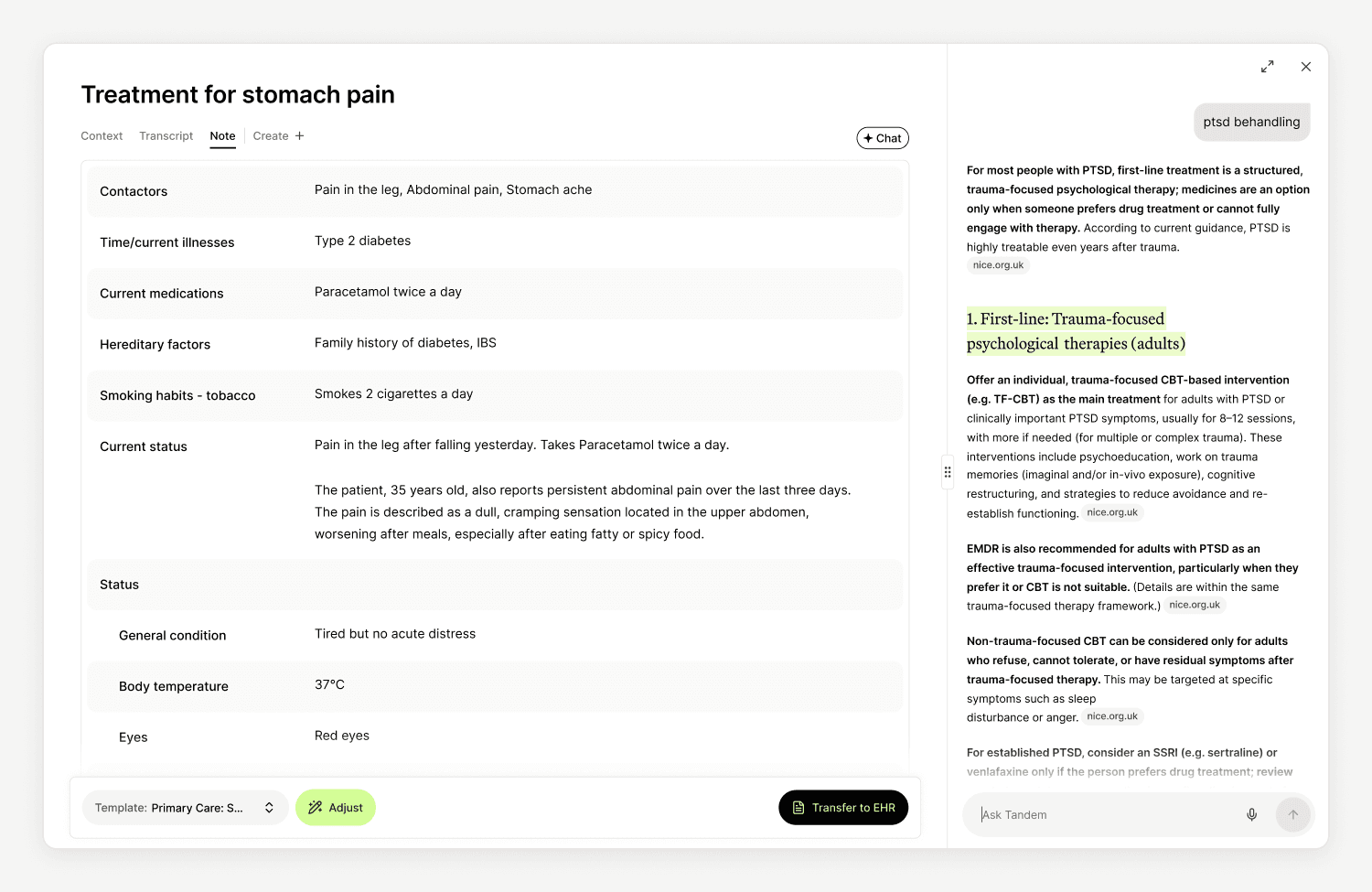
See exactly what Adjust changed
When you use Adjust to refine a note, Tandem now highlights the exact text it removed and added, instead of just marking the section as changed. Useful for long entries where it was hard to spot small edits. For Ask Tandem users, Adjust also opens in the sidebar next to your note.
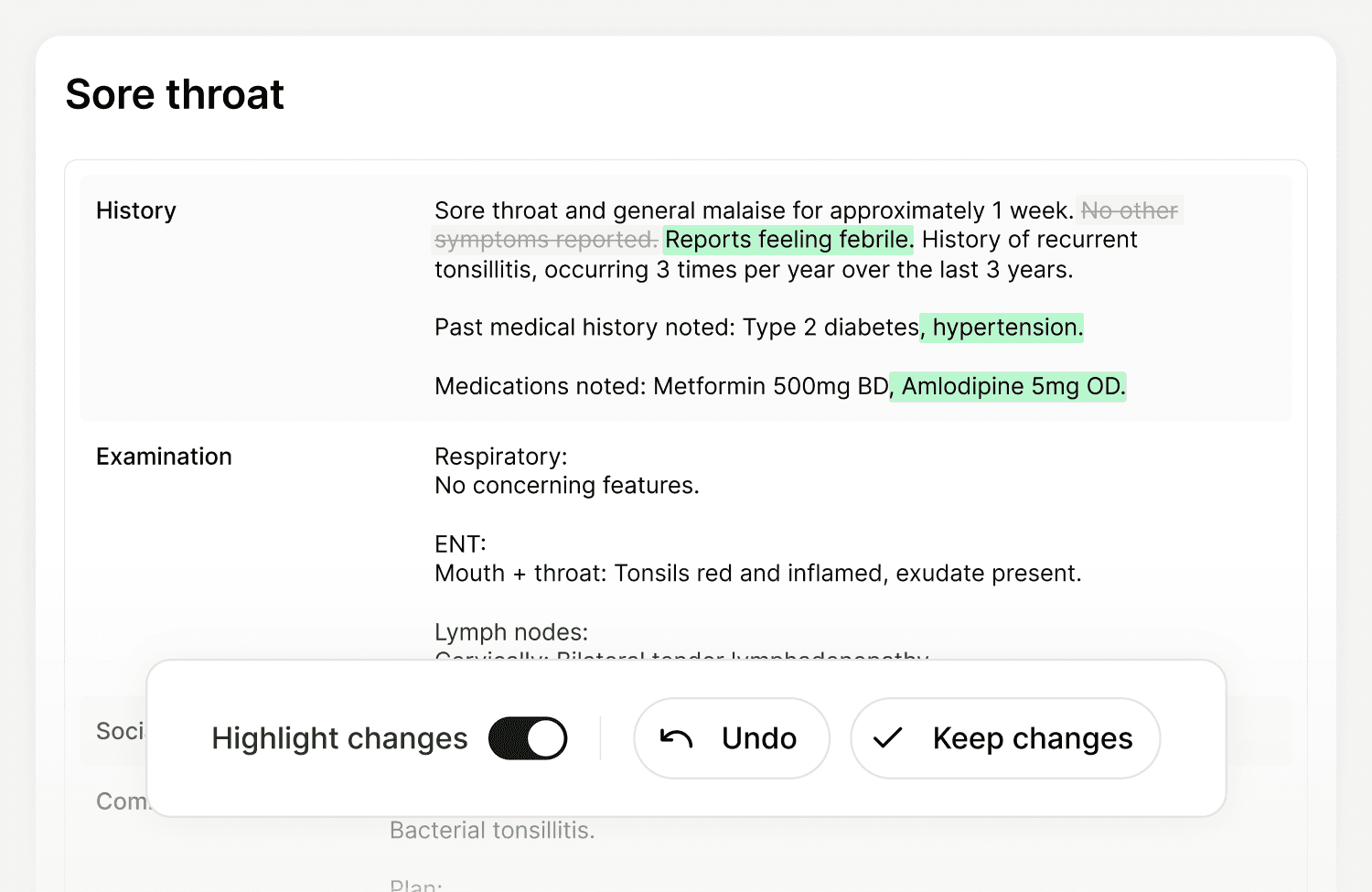
Set defaults and languages from Organisation Admin
Parent clinic admins can now set languages and default templates for users across their organisation, and edit multiple users at once. Fewer round-trips through individual user settings, faster setup for new clinics joining a group.
Improvements
Data retention on the Trash page: the page now shows how long your clinic keeps interactions and secretary tasks before they're removed.
Template bulk sharing in Organisation Admin: parent clinic admins can now configure sharing and visibility settings for multiple templates at once.
Clinical Decision Support is now live
Clinical Decision Support is the part of Ask Tandem that answers clinical questions during the visit. It's live today with select customers across Europe and is CE marked under the European Medical Device Regulation (EU MDR) as a Class IIa medical device.
Ask a clinical question during the visit
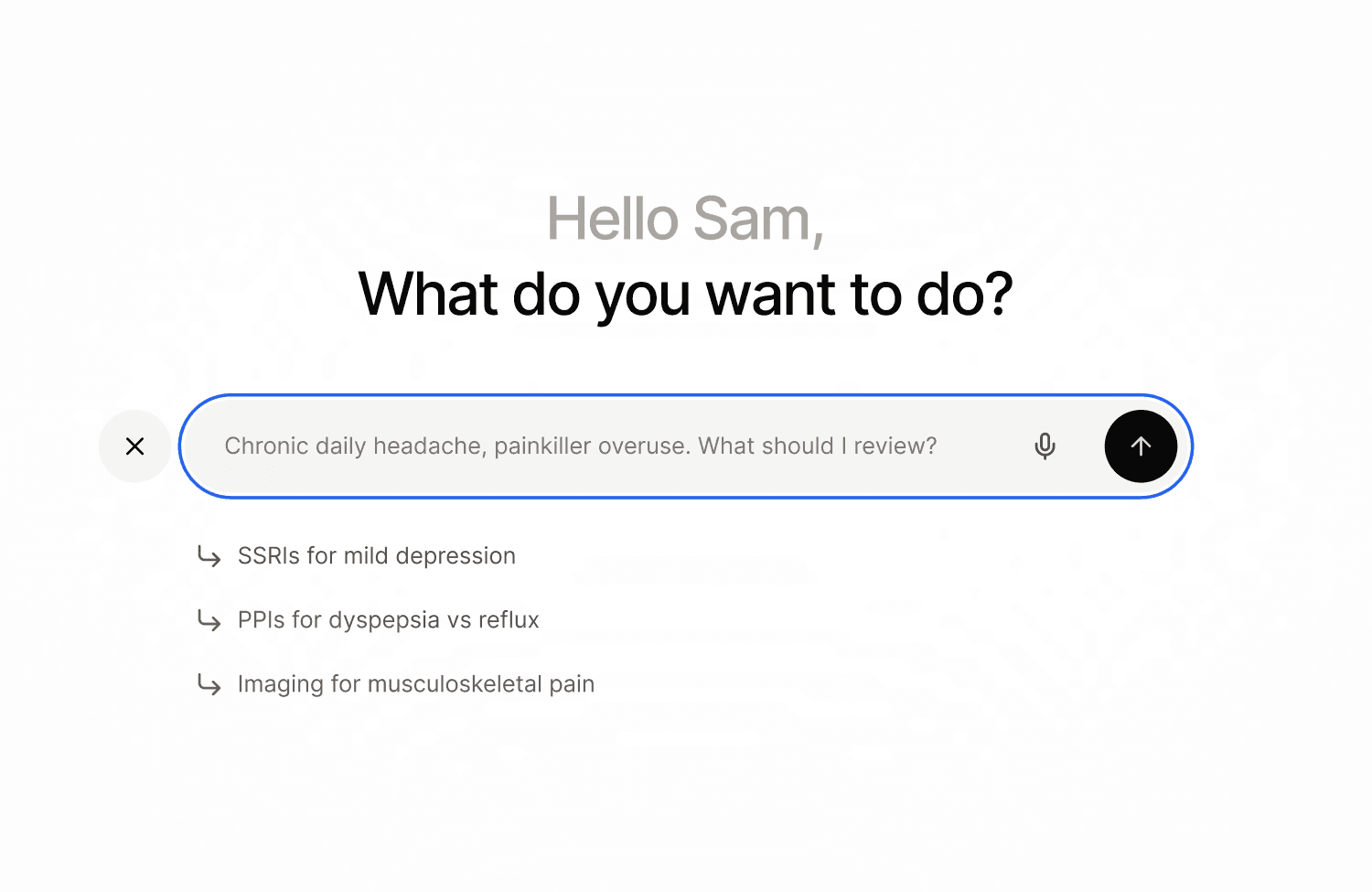
Clinicians can now ask a clinical question in the same chat that just wrote the note. The answer comes back specific to the patient, drawing on the documented case context, in seconds.
Get every answer linked to its source
Every answer cites the guideline, protocol, or paper it came from, so you can verify or follow up before acting on it. Tandem draws on global evidence (Elsevier, NICE), national clinical guidelines, drug references, and any local protocols your clinic has uploaded.
Add your clinic's local protocols
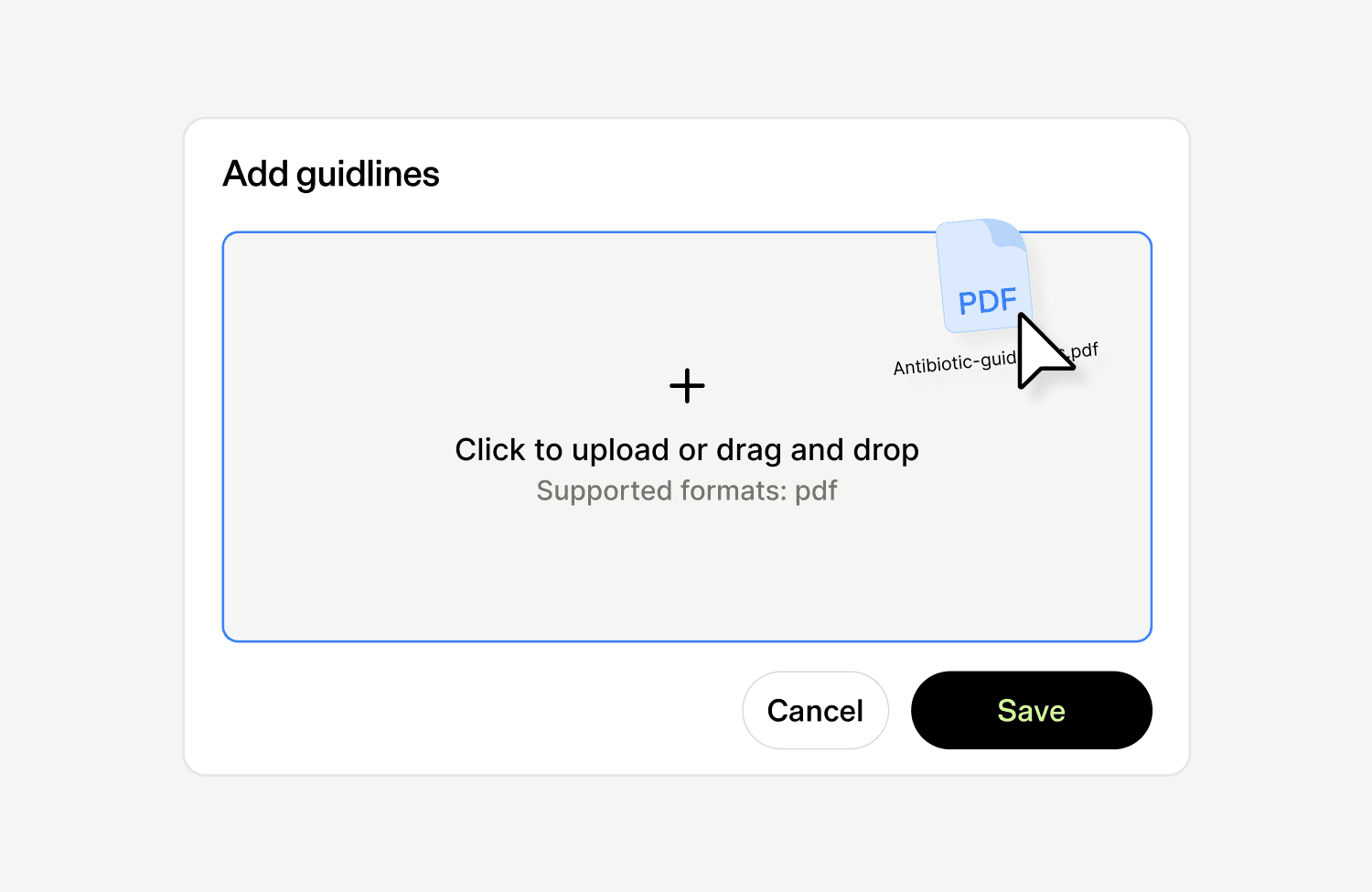
Clinic admins can upload local clinical protocols. CDS uses them alongside national guidelines when answering questions, so the team's own conventions show up in the same chat. Enterprise feature.
Now certified as a Class IIa medical device
Clinical Decision Support is CE marked under the European Medical Device Regulation (EU MDR). Tandem is the only clinical AI platform in Europe with an AI Scribe, Coding Assistant, and Clinical Decision Support, each independently certified at this classification.
Get early access
CDS is available today with select customers across Europe. Request early access at tandemhealth.ai/product/clinical-decision-support.
What’s new: May 2026
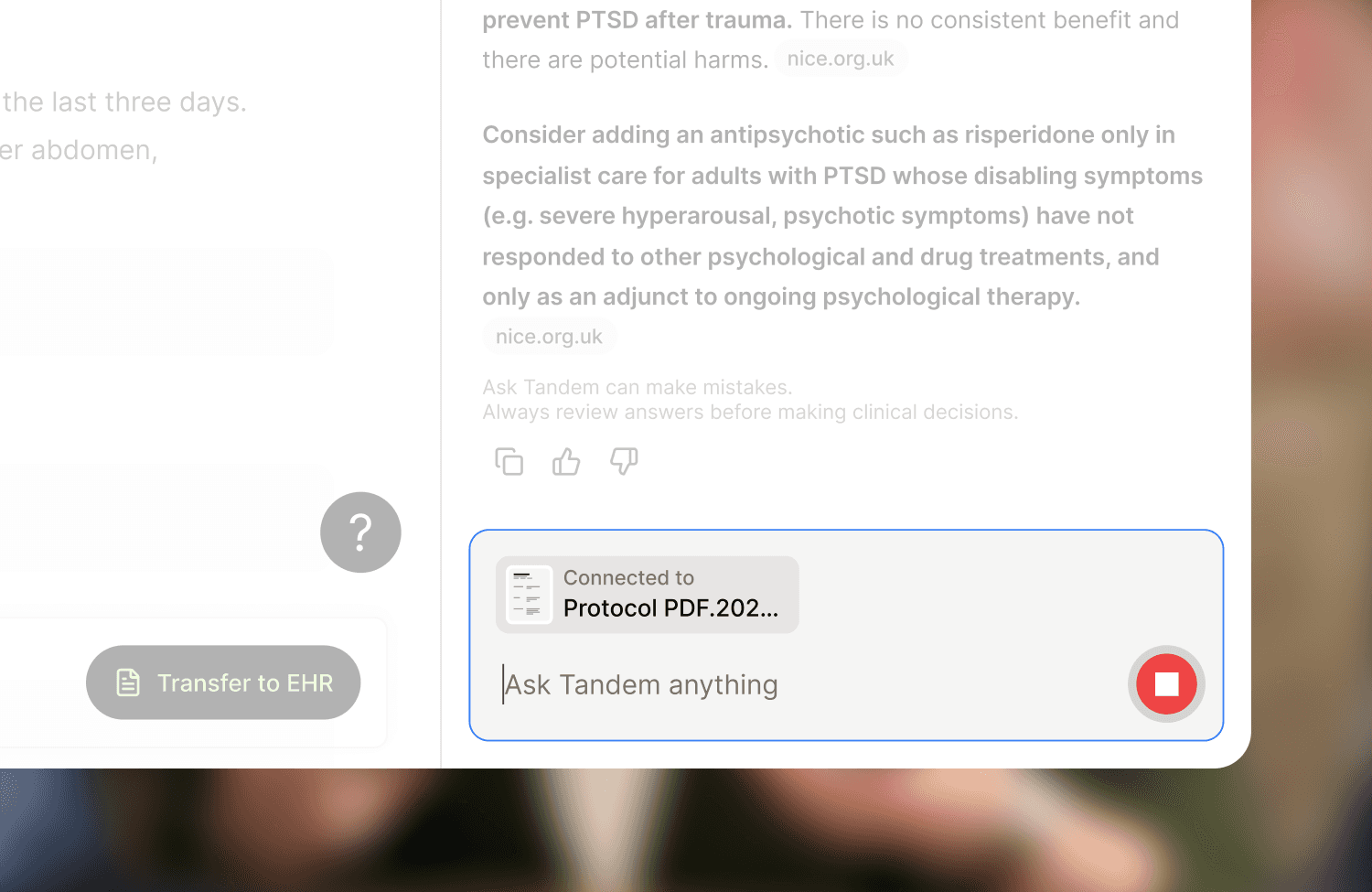
Add images and PDFs as context
Tandem can now use images and PDFs as additional context when generating a note. Upload a referral letter, a previous note, or a patient's blood pressure log, and Tandem reads the text and uses it in the draft. Raw images and files aren't stored after the note is generated. Currently in early access.
Split a note by reason for visit
Encounters with more than one reason for visit can now produce a separate note per reason. Useful for workflows where each reason needs its own entry, like the Dutch SOEP method or care plans. Rolling out to clinics gradually.
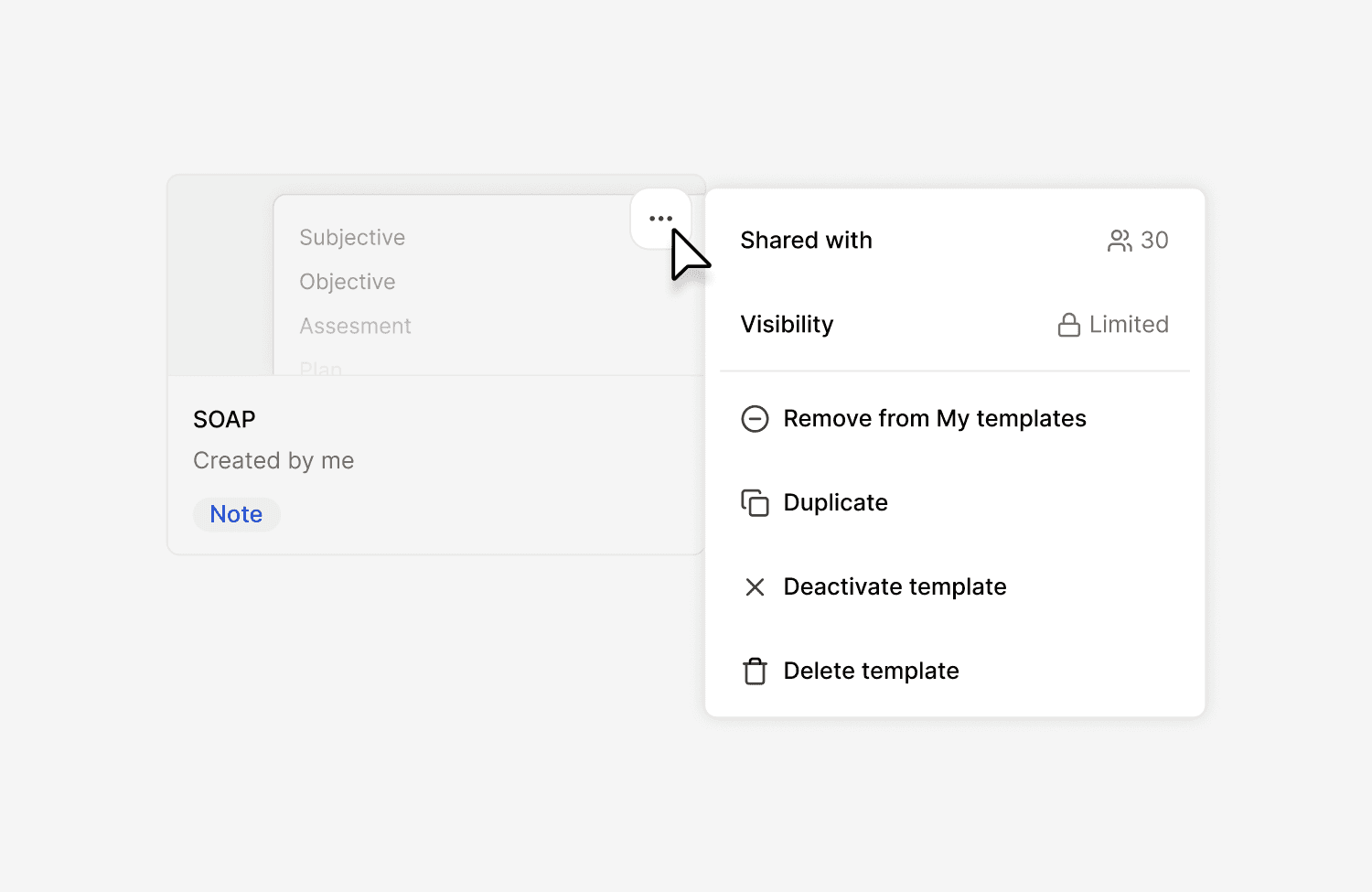
Share templates across your organisation
Parent clinic admins can now add templates to a clinic-wide library that automatically inherits down to child clinics. Sharing and activation are also separate now: you can make a template available without forcing every clinician to use it. Currently in early access.
Customise how Tandem names your encounters
Clinic admins can choose how Tandem names encounters across their clinic. Pick one of four presets, or write a custom rule. Each template can also override the clinic default when a particular flow needs something different.
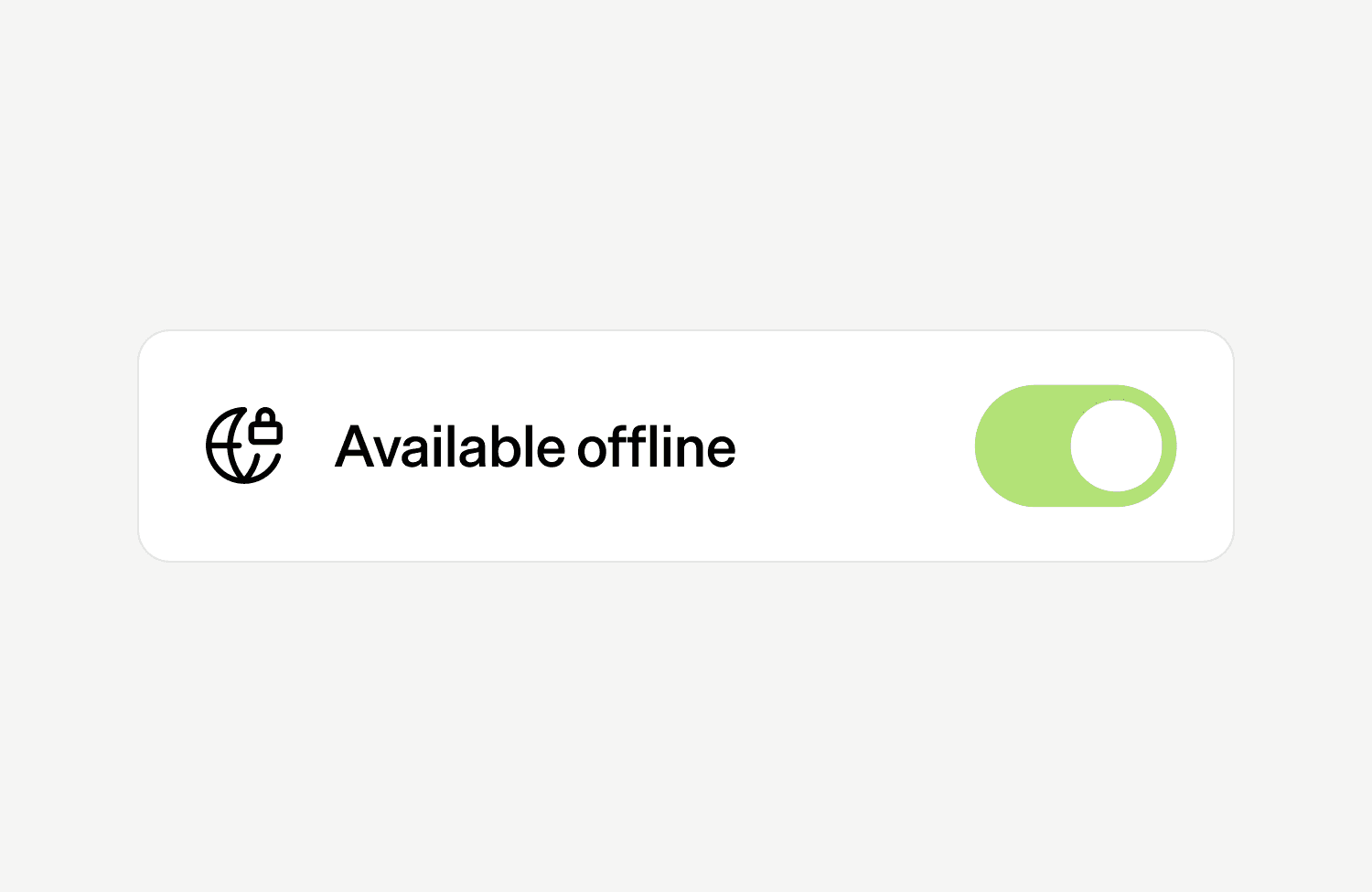
Record on Android, even when offline
The Tandem Android app is now generally available on Google Play. It records in the background, on a locked screen, and without an internet connection. Audio syncs the next time the device is online. USB microphones and MDM for larger deployments are supported.
Additional improvements
Visit context clarification: when adding extra text alongside a visit, you can now tell Tandem whether it belongs to the current visit or comes from a prior one. Useful when pasting notes from a previous clinician or another setting.
My Clinic dashboard upgrades: new metrics and filters across Weekly overview, Clinic stats, and Clinician stats, including median recording time, Adjust usage per note, and a profession filter.
Use Tandem in Hebrew: Hebrew is now supported across Tandem, including full right-to-left text rendering in the interface.
What’s new: April 2026
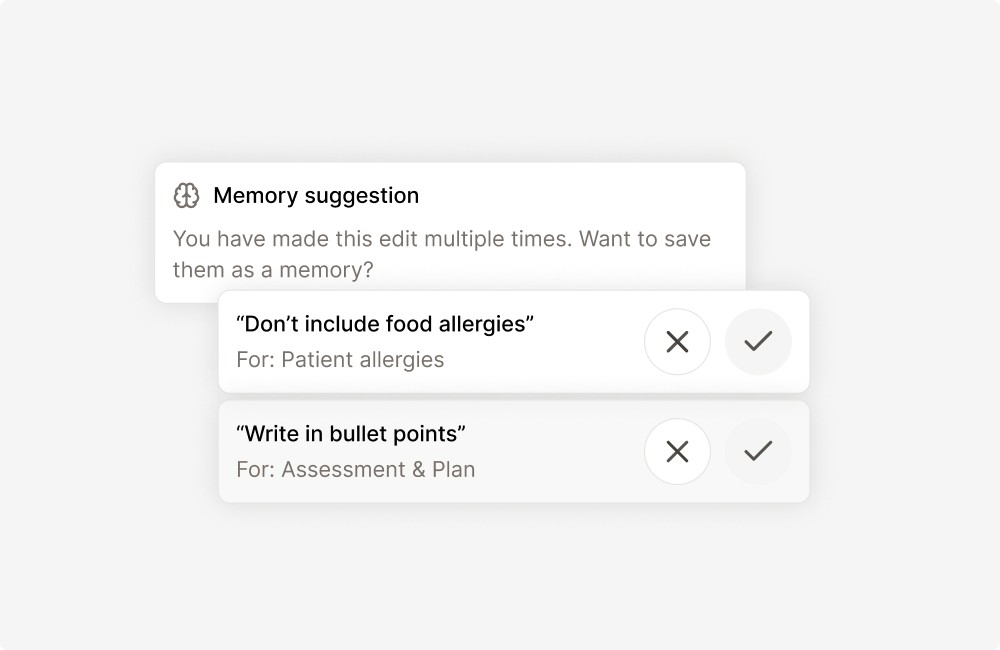
Tandem suggests memories from your Adjustments
Tandem now picks up on how individual clinicians refine their notes through Adjust, and applies those preferences to every new draft. No setup needed. The more you Adjust, the more the notes sound like you from the first version.
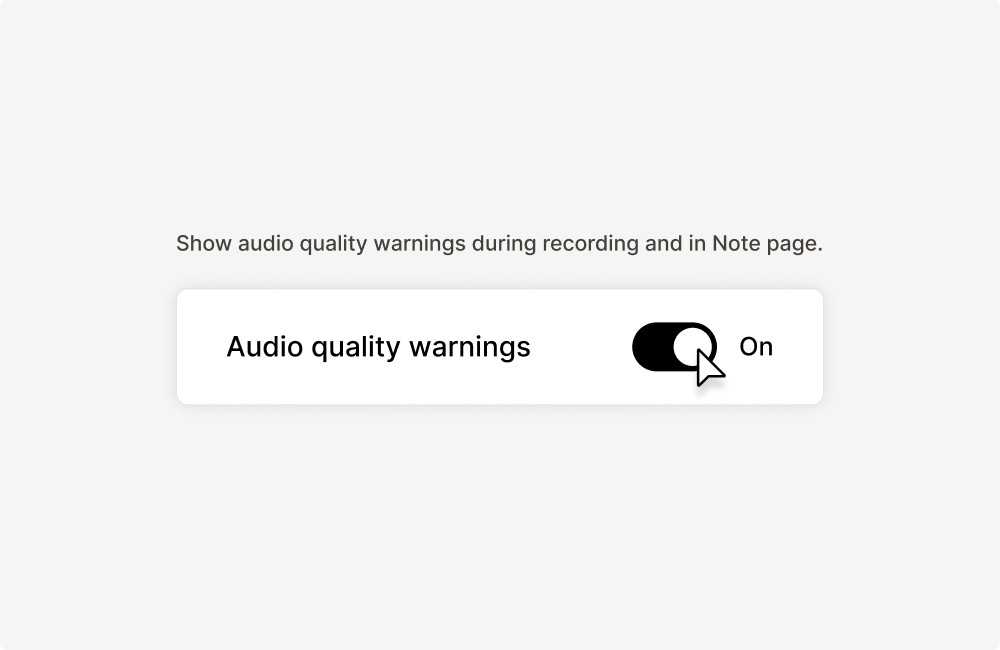
Catch audio quality issues mid-consultation
If the microphone picks up noisy, low or poor audio quality during a recording, Tandem now flags it in real time so the clinician can adjust before the consultation ends, rather than discovering a thin note afterwards.
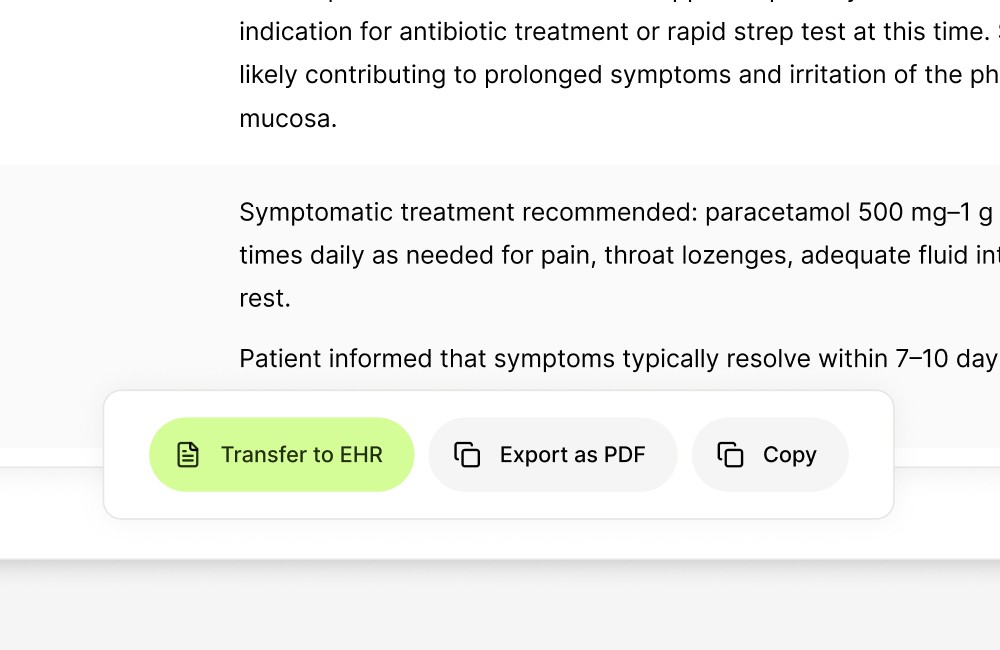
Transfer notes to the medical record system from the secretary inbox
Secretaries can now transfer notes to the medical record system directly from Tandem.
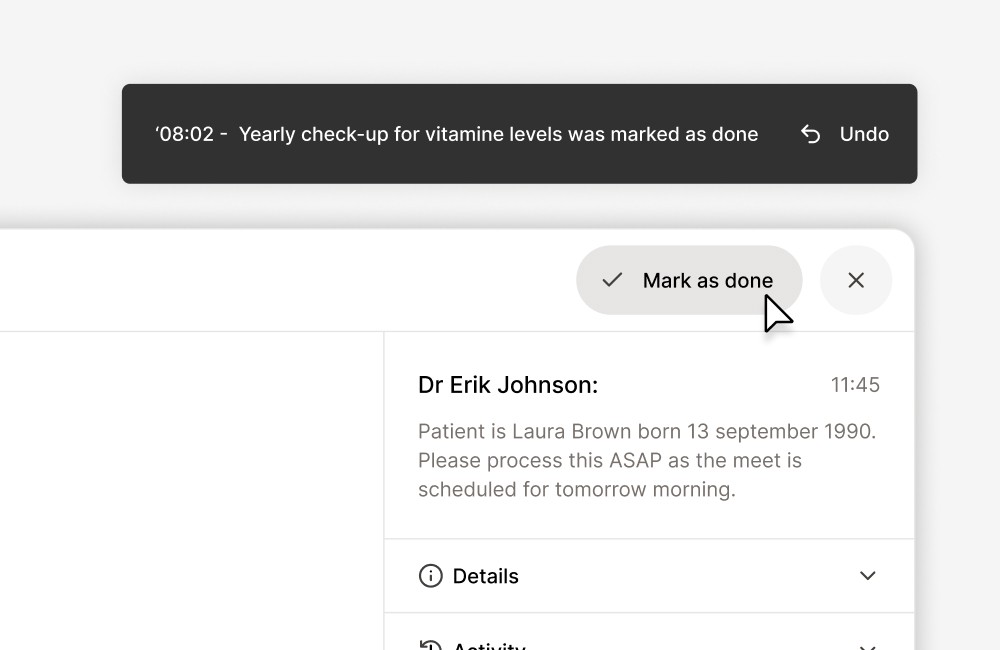
Claim tasks in the secretary inbox
Secretaries can now claim a task in the inbox so the rest of the team can see who's working on what. Claimed tasks show "Claimed by [Name]" to other secretaries and to the clinician. Claims are a signal, not a lock. Anyone can still pick up a claimed task or release it.
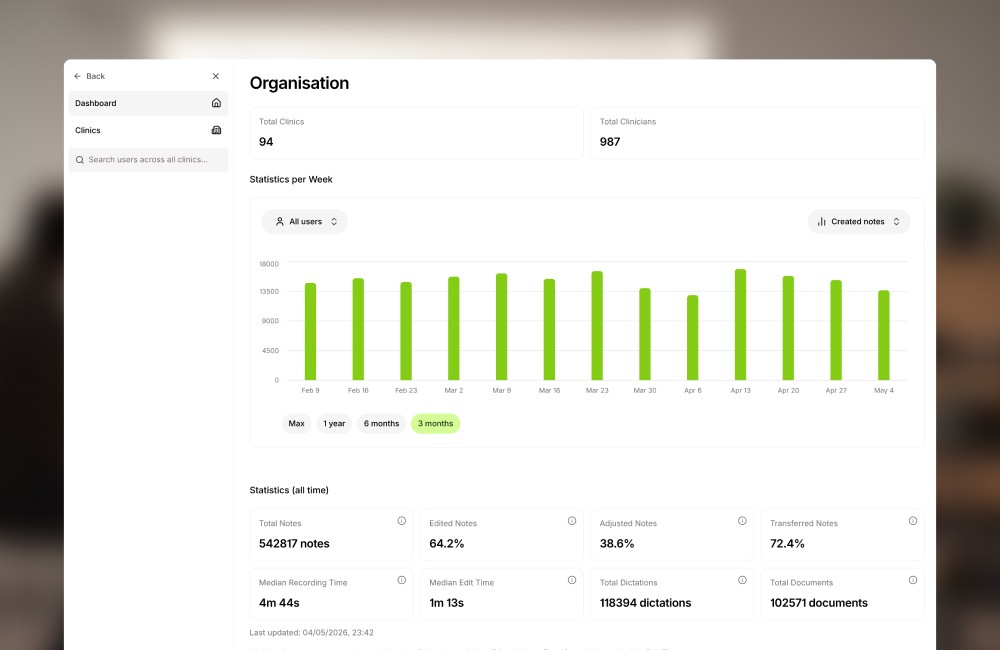
See Tandem usage across your organisation
Clinic admins have a new dashboard showing how Tandem is being used across their organisation: active clinicians, usage trends, and where adoption is strongest. A single view for reporting and for spotting teams that need more support.
Undo any draft edit
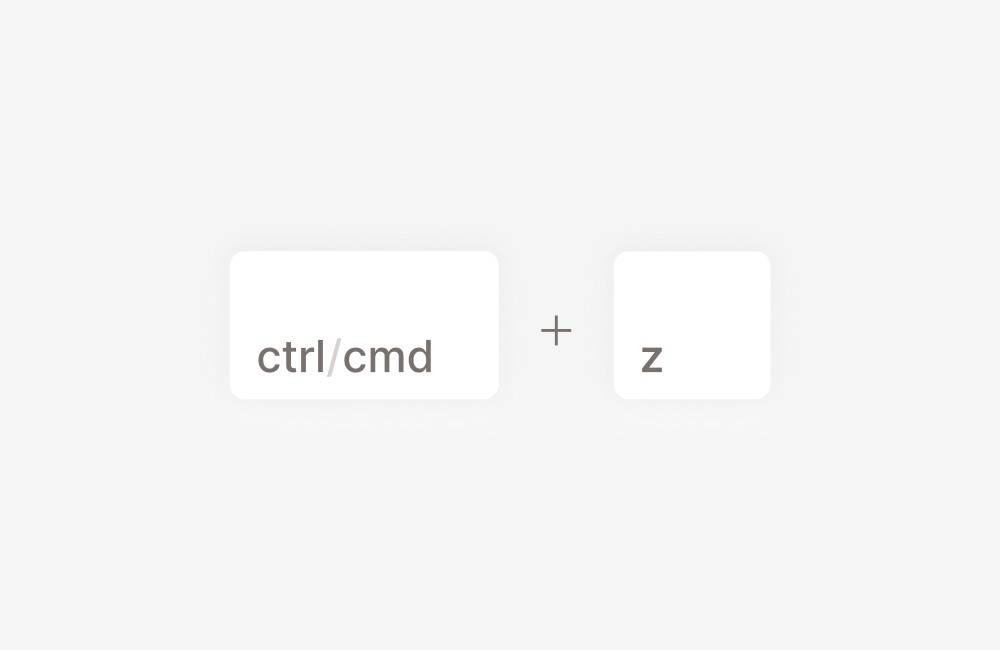
Ctrl/Cmd + Z now steps back through any change you've made to a draft note in the current session. Manual edits, AI adjustments, full regeneration, template changes, and field deletions are all reversible, not just the most recent one. The history resets when you reload the page.
New integrations
New medical record system integrations: Treserva Web, Promedico ASP, and Teladoc Health (Salesforce).
What’s new: March 2026
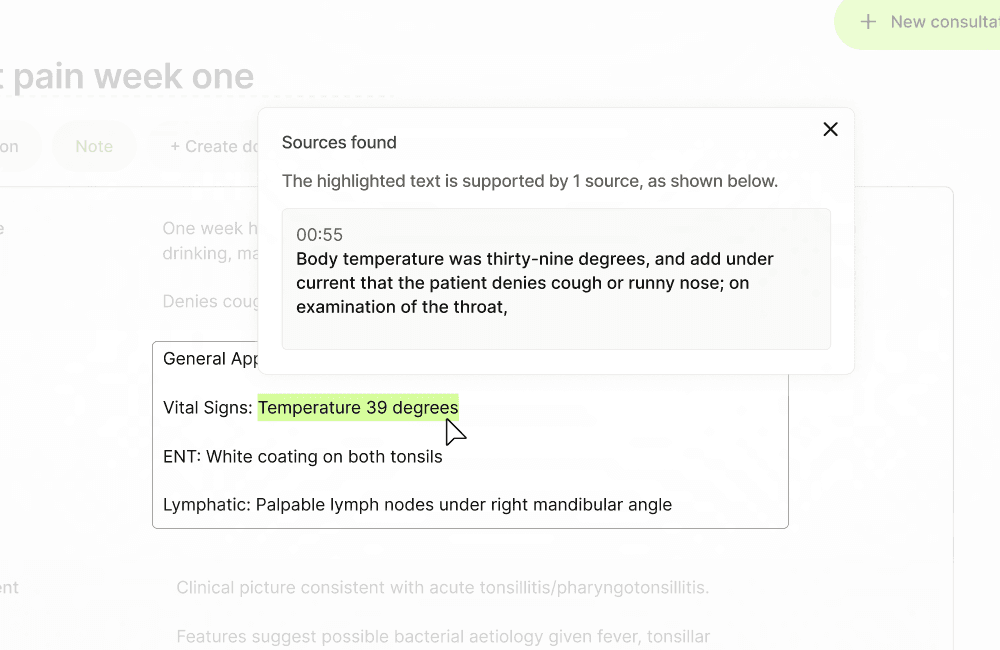
Note traceability
Each section of a generated note can be traced back to the transcript segment it came from. Clinicians can click an inline reference to review the source context, making it easier to verify AI-generated content and support audit trail requirements.
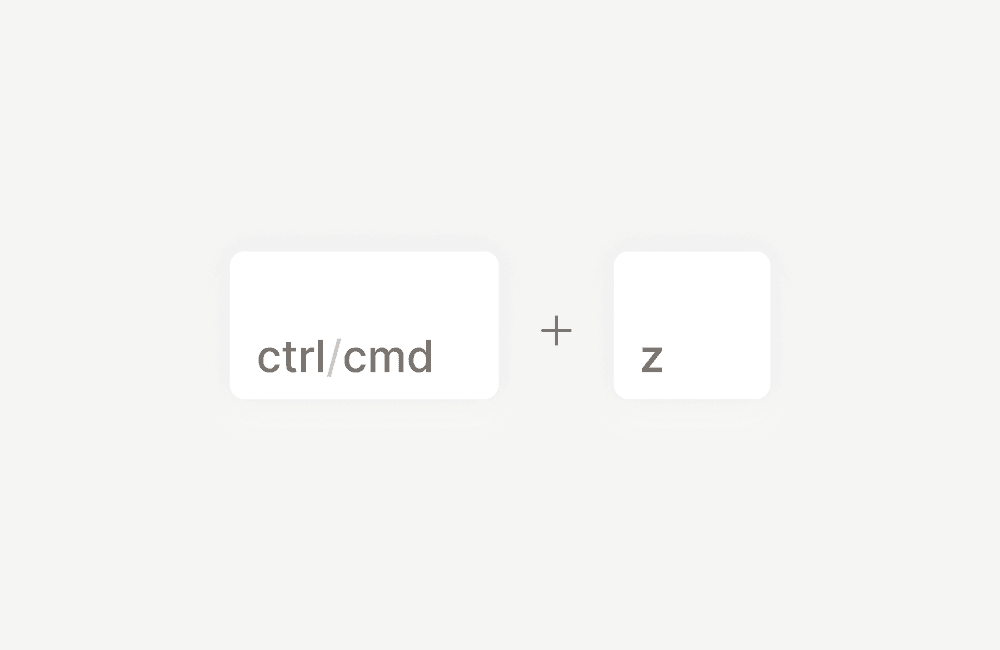
Undo edits: Cmd/Ctrl+Z
Undo now covers the full range of changes made to a note: manual edits, AI adjustments, note regeneration, template changes, and field deletions. Previously, only adjustments could be reverted via the Revert button. The new keyboard shortcut works across all edit types in a single step.
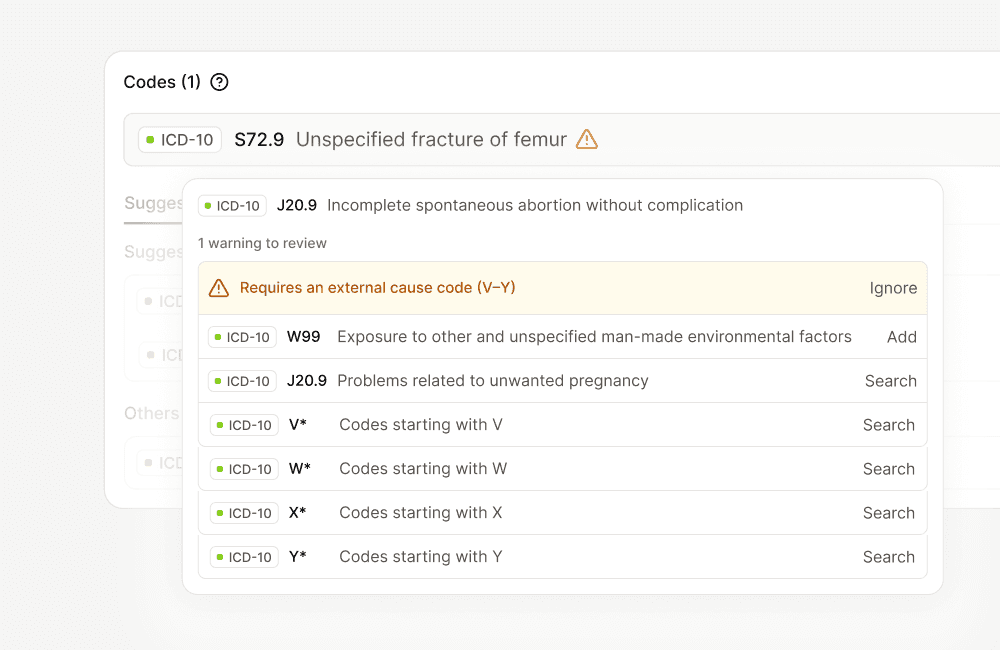
Transfer-blocking code guidance
When a selected code would block or delay a patient transfer, the Coding Assistant flags it and suggests how to resolve it before the record is finalised.
Additional improvements
Browser extension updates — The Tandem browser extension has been updated with improved stability and faster load times across supported EHR systems.
Auto-transfer default enabled (Coding Assistant) — Automatic transfer of completed coding episodes to downstream systems is now enabled by default for new deployments.
New integrations
Gerica (Norway) — Full production integration with Gerica. Clinical notes, referrals, and exercise programmes can be sent directly to the patient record.
Treserva (Sweden) — Integration with Treserva, used across social care and care home settings in Sweden.
Nexuzhealth (Belgium) — Clinical notes can be sent directly to Nexuzhealth, the leading EHR in Flemish hospitals and care settings.
Medatixx x.vianova (Germany) — Integration now available for German GP practices.
Compucare (UK) — Integration with Compucare, used in independent hospitals and specialist clinics across the UK.
Accurx Scribe improvements (UK) — Expanded Accurx API integration now includes patient-facing PDF summaries. Clinicians can generate a structured summary and send it directly to the patient via Accurx after a consultation.
Epic (FHIR) — Integration with Epic via FHIR API, supporting clinical note transfer directly into the patient record. Uses SMART on FHIR authentication. Compatible with Epic instances globally, including Apotti in Finland.
Oracle Health Millennium — Integration with Oracle Health Millennium (formerly Cerner) via FHIR API. Clinical notes can be transferred directly to the patient record using SMART on FHIR authentication.
Template Builder and Memories
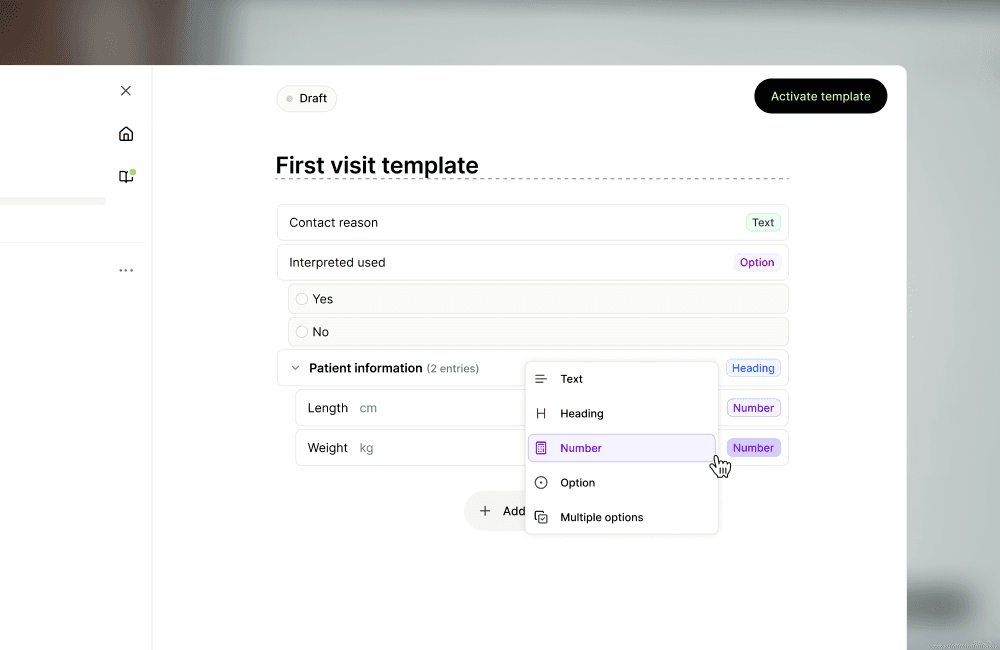
Template Builder
You can now build and manage your own clinical note templates directly in Tandem, without involving our team.
Start from scratch or duplicate an existing template. Define the structure, name your entries, and activate it in minutes. Tandem automatically maps generated notes to your template structure.
Entry types: free text, headings, numbers, single choice, and multiple choice. Use Custom structure to write your own formatting instructions for a specific entry.
When activating a template, choose who sees it: everyone at the clinic, specific professions, or just yourself. Templates save automatically and stay private until you activate them.
Memories
Memories let you add instructions to any template or entry to guide tone, formatting, or phrasing, without changing the template structure itself.
Two types are available. Template memories apply to the whole note. Entry memories apply to a single section.
Clinic administrators can set memories for everyone. Individual clinicians can add their own.
What’s new: February 2026
Template memories
Individual clinicians can now add their own memories to templates, teaching Tandem their preferred phrasing, abbreviations, and documentation habits. Clinic admins and Tandem admins can view and manage memories across users.
Clinic-level memories
Memories can now also be set at the clinic level. Clinic admins can add instructions that apply to every clinician at the clinic for a specific heading and template, giving a lightweight way to standardise tone and phrasing without rebuilding templates.
Targeted Add or Adjust
You can now select exactly which sections of your note to adjust. Click on one or more headings before giving your instruction, and the edit applies only to those sections. No more unintended changes to the rest of the note.
Preview note in template editor
Template creators can now generate a preview note directly inside the editor before publishing. Choose a recent encounter and see exactly how the template will produce a note, so you can iterate on structure, headings, and memories without going live.
Resume encounter
The resume encounter feature is now available to all clinicians. Clinics can choose to surface the button directly in the bottom bar for workflows where it's used frequently.
Multiple documents per session
Generate more than one referral letter, patient summary, or other document from a single encounter. Each document is independent and maintains separate edits.
Additional code suggestions
Beyond the initial recommended codes, Tandem now surfaces additional suggestions that can be expanded progressively. Quicker for a clinician to glance at a code and skip it than to realise one is missing and go searching.
Pinned codes
Clinicians can now pin commonly used codes as personal favourites. Clinic admins can also set shared pinned codes that appear for everyone. Useful for standard procedure or visit codes you apply to most encounters.
Encounter type context for coding
Code suggestions can now take encounter type (in-clinic, teleconsult, video call, follow-up) and clinician profession into account. Reduces miscoding in frameworks like KVÅ, NGAP, and Normaltariffen where the right code depends on the visit type, not just the clinical content.
Additional improvements
Background code generation: code suggestions now generate while the note is being produced, so they often appear without a separate loading step.
What’s new: January 2026
Restore deleted encounters
Clinicians can now recover encounters they've accidentally deleted. A new Trash page in Settings shows all non-anonymised deleted encounters that are still within the retention period. No more support tickets for accidental deletions.
Code billing values
Coding frameworks now support displaying billing values alongside each code suggestion. In frameworks like the French NGAP, this makes it easier to identify the more specialised (and typically correct) option. Ordering by billing value is off by default and configurable per clinic.
Additional improvements
Tandem for Web now captures system audio from web-based conferencing services (e.g. Google Meet) on Mac, so users no longer need a separate application for teleconsultation recording.
Quick phrases can now trigger automatically by typing the phrase followed by a space. No need for a semicolon prefix. Disabled by default; enable in Settings.
Note dates now reflect when the encounter started, not when the note was generated.
What’s new: August 2026
Use Tandem on iPhone
The Tandem iOS app is now on the App Store, joining the Android app released earlier this year. It records in the background, on a locked screen and offline, with audio syncing once you’re back online.
See your recording from the lock screen on iOS
On iPhone, an active recording now shows as a Live Activity in the Dynamic Island and on the lock screen. You can see that Tandem is recording at a glance, even with the phone locked or another app open. Live in the latest iOS app.
Sign in without a password on Windows
On Windows machines already signed in to a Microsoft Entra ID account, previously called Azure AD, the native app now signs you in without a password. You still type your email as before. Entra recognises the Windows account and takes you straight in, at first login and after every session expiry.
Dictate quickly across fields without losing words
Dictation now assigns your words to the right field even when you switch fields rapidly or use short statements. Words no longer disappear or land in the wrong field mid-dictation. Live for all clinicians.
Edit one note and the rest follow
Edits you make in a note or document now carry into anything you generate afterwards in the same encounter. Older notes and documents that no longer match get a prompt to regenerate. Fewer inconsistencies when one encounter produces several outputs.
Give each note its own name
When an encounter produces several notes, you can now rename each tab, instead of working out which of Note 1 and Note 2 was the referral letter. The encounter name stays as it is. This is the label on the note itself. Live for everyone.
Set your clinic’s wording for normal findings
Clinic admins can now set clinic-wide phrasing for normal findings. The settings page lists each finding once, showing which version applies, whether market, clinic or personal, so it’s clear why a phrase appears in a note. Existing personal customisations carried over.
What’s new: July 2026
Create documents and chats outside a recording
You can now start a chat, note or document from the home screen without needing a recording first. Useful for drafting a patient letter from a chat, connecting multiple encounters into a single assessment or writing up a phone contact you couldn’t record. Now rolling out to all users.
Get more thorough Ask Tandem answers
Ask Tandem now runs multiple searches in parallel across every available source before answering. Answers draw on wider context, including drug interactions, contraindications and differentials. Live for every Ask Tandem query.
Cancel a note transfer with any click or key
Any mouse click or key press now cancels an in-progress transfer to your medical record system, not just Escape. The cancelling input doesn’t end up in the patient record, and you’ll see a Transfer cancelled dialog instead of the app hanging on Transferring note.
Set patient consent as a clinic setting
Clinic admins can now require clinicians to confirm patient consent before starting an AI Scribe recording. When enabled, a consent prompt appears at the start of every consultation, and each confirmation is logged. Turned off by default. Toggle from clinic settings.
Export clinic data at any size
The clinic and organisation data export now works reliably for customers of any size. Files switched from Excel to CSV, and exports run through a new backend built for scale. Live for everyone.
Improvements
MyClinic dashboards now load faster, powered by a new analytics backend. Foundation for more metrics coming later this year.
Clearer error when Windows or macOS blocks microphone access: the app now points clinicians at their system privacy settings instead of showing a broader error.
What’s new: June 2026
Ask Tandem clinical questions during the visit
Clinical Decision Support is now live for select customers across Europe. Clinicians can ask a clinical question in the same chat that just wrote the note, with citations from NICE, national clinical guidelines, and any local protocols your clinic has uploaded. CE marked under EU MDR as a Class IIa medical device.
See chat and notes side by side
You can now chat with Tandem right beside your notes. This chat sits in the sidebar as a first-class part of the workflow, and the structure supports non-consultation tasks like documents, templates, and standalone chats. Rolling out to Ask Tandem users first, with broader rollout to all clinicians planned for later this year.
See exactly what Adjust changed
When you use Adjust to refine a note, Tandem now highlights the exact text it removed and added, instead of just marking the section as changed. Useful for long entries where it was hard to spot small edits. For Ask Tandem users, Adjust also opens in the sidebar next to your note.
Set defaults and languages from Organisation Admin
Parent clinic admins can now set languages and default templates for users across their organisation, and edit multiple users at once. Fewer round-trips through individual user settings, faster setup for new clinics joining a group.
Improvements
Data retention on the Trash page: the page now shows how long your clinic keeps interactions and secretary tasks before they're removed.
Template bulk sharing in Organisation Admin: parent clinic admins can now configure sharing and visibility settings for multiple templates at once.
Starten Sie noch heute mit Tandem
Schließen Sie sich Tausenden von Ärzt:innen, Therapeut:innen und Pflegekräften an, die bereits von einer stressfreien Dokumentation profitieren.
Starten Sie noch heute mit Tandem
Schließen Sie sich Tausenden von Ärzt:innen, Therapeut:innen und Pflegekräften an, die bereits von einer stressfreien Dokumentation profitieren.
Starten Sie noch heute mit Tandem
Schließen Sie sich Tausenden von Ärzt:innen, Therapeut:innen und Pflegekräften an, die bereits von einer stressfreien Dokumentation profitieren.